トラッキング コード

9/07/2019

[Swift] Do not work backgound color of UITableViewHeaderFooterView

UITableViewHeaderFooterView can not set backgound color


We can not set the backgound color on UITableViewHeaderFooterView.
If set, we see the following log.

"Setting the background color on UITableViewHeaderFooterView has been deprecated. Please use contentView.backgroundColor instead."


if change backgroundColor, use the "contentView" that is included in UITableViewHeaderFooterView.
    sectionHeader?.contentView.backgroundColor = backgroundColor

8/17/2019

How to use UIScreenEdgePanGestureRecognizer, via Swift Code

implement in UIViewController


I had implemented the screen edge swipe with using UIScreenEdgePanGestureRecognizer, without Storyboard.

We need to add edgePan to ViewController.view. if you want to handle the acton, you have to use #selector.

class ViewController: UIViewController {

    private let closer = SwipeEdgeCloser()
    
    override func viewDidLoad() {
        super.viewDidLoad()

        let edgePan = UIScreenEdgePanGestureRecognizer(target: self, action: #selector(handleScreenEdgeSwiped))
        edgePan.edges = .left
        view.addGestureRecognizer(edgePan)
    }

    @objc func handleScreenEdgeSwiped(_ recognizer: UIScreenEdgePanGestureRecognizer) {
        if recognizer.state == .recognized {
            print("Screen edge swiped!")
        }
    }
}


new class implemented Edge Swipe Gesture


If you do not like "fat UIViewController", you should new class implemented Edge Swipe Gesture.


class ViewController: UIViewController {

    private let closer = SwipeLeftEdgePanGesture()
    
    override func viewDidLoad() {
        super.viewDidLoad()
        view.addGestureRecognizer(closer.panGesture)
    }
}

final class SwipeLeftEdgePanGesture {
    let panGesture: UIScreenEdgePanGestureRecognizer
    
    init() {
        panGesture = UIScreenEdgePanGestureRecognizer()
        panGesture.edges = .left
        panGesture.addTarget(self, action: #selector(SwipeLeftEdgePanGesture.screenEdgeSwiped))
    }
    
    @objc private func screenEdgeSwiped(_ recognizer: UIScreenEdgePanGestureRecognizer) {
        if recognizer.state == .recognized {
            print("SwipeLeftEdgePanGesture: Screen edge swiped!")
        }
    }
}

9/05/2016

Android Binding AppCompatEditText: Add TextWatcher

We should implement TextWatcher interface, due to listen to change text.

public TextWatcher getEditTextWatcher() {
    return new TextWatcher() {
        @Override
        public void beforeTextChanged(CharSequence charSequence, int start, int count,
                int after) {

        }

        @Override
        public void onTextChanged(CharSequence charSequence, int start, int before, int count) {
            // FIXME: when change text
        }

        @Override
        public void afterTextChanged(Editable editable) {

        }
    };
}

set to app:addTextChangedListener on Layout file.

<data>
    <variable name="fragment"
              type="jp.baroqueworksdev.sample.SampleFragment"/>
</data>
<android.support.v7.AppCompatEditText
        app:addTextChangedListener="@{fragment.getEditTextWatcher}"/>

3/19/2016

[Swift]how to use custom section header of TableView

We can use custom section header on UITableView.


Sub class : UITableViewHeaderFooterView

UITableViewHeaderFooterViewを継承したクラスを作成します。 We need to implement the sub class of UITableViewHeaderFooterView.

import UIKit

class CustomTableViewHeaderFooterView: UITableViewHeaderFooterView {

    @IBOutlet weak var headerView: UIView!
    
    override func awakeFromNib() {
        super.awakeFromNib()
        // Initialization code
    }
}


Nib file

We need to implement the view for Header.


Set to TableView

We need to use tableView.registerNib like a Cell. This is used return value in tableView:viewForHeaderInSection method.
If View width is no good, you need to set frame.size.

class ViewController: UITableViewController {
    
    override func viewDidLoad() {
        super.viewDidLoad()
        
        let nib:UINib = UINib(nibName: "CustomTableViewHeaderFooterView", bundle: nil)
        tableView.registerNib(nib, forHeaderFooterViewReuseIdentifier: "CustomTableViewHeaderFooterView")
    }
    
    override func numberOfSectionsInTableView(tableView: UITableView) -> Int {
        return 1
    }
    
    // header height
    override func tableView(tableView: UITableView, heightForHeaderInSection section: Int) -> CGFloat {
        return 44
    }
    
    
    // header view
    override func tableView(tableView: UITableView, viewForHeaderInSection section: Int) -> UIView? {
        let header :CustomTableViewHeaderFooterView = self.tableView.dequeueReusableHeaderFooterViewWithIdentifier("CustomTableViewHeaderFooterView") as! CustomTableViewHeaderFooterView
        header.headerView.frame.size = CGRectMake(0, 0, tableView.frame.size.width, 44).size
        
        return header
    }
    
}

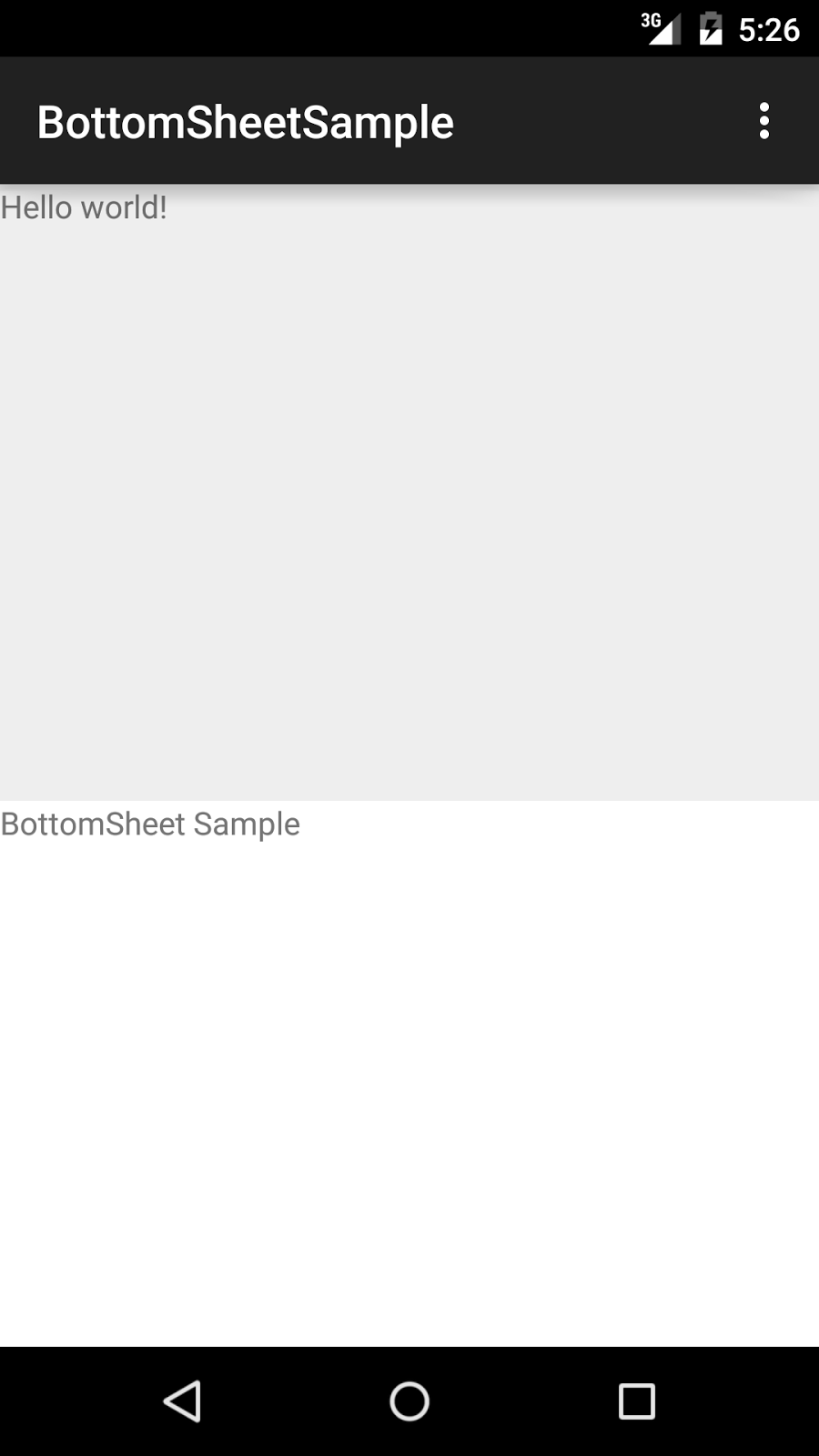
BottomSheet vis Android Design Support Library 23.2.0

Android Design Support Library had added BottomSheet from ver.23.2.
We can implement BottomSheet design like a GoogleMap.


AOSP: BottomSheetBehavior.java

Layout Sample

We add the param app:layout_behavior="@string/bottom_sheet_behavior" in child view of CoordinatorLayout.
<android.support.design.widget.CoordinatorLayout
        xmlns:android="http://schemas.android.com/apk/res/android"
        xmlns:tools="http://schemas.android.com/tools"
        xmlns:app="http://schemas.android.com/apk/res-auto"
        android:layout_width="match_parent"
        android:layout_height="match_parent"
        tools:context=".MainActivity">

    <LinearLayout
            android:layout_width="match_parent"
            android:layout_height="match_parent"
            android:orientation="vertical"
            app:layout_behavior="@string/bottom_sheet_behavior"
            app:behavior_peekHeight="240dp"
            app:behavior_hideable="false"
            android:background="@android:color/white">
        <TextView
                android:layout_width="match_parent"
                android:layout_height="match_parent"
                android:text="BottomSheet Sample"/>
    </LinearLayout>
</android.support.design.widget.CoordinatorLayout>

We cab add following params.

  • app:behavior_peekHeight
    • BottomSheet minimum size
  • app:behavior_hideable
    • BottomSheet is hidden when scroll to bottom.


6/21/2015

CoordinatorLayout has problem which registered to Issue Tracker.

CoordinatorLayout has problem which registered to Issue Tracker.

Do not show display when Screen rotate

If your Activity has configChanges that write on AndroidManifest.xml, CoordinatorLayout do not show display when screen rotate.
You can reproduct, Landscape to Portrait.


This had been registered to AOSP Issue Tracker.
CoordinatorLayout in design support library does not update child size on rotation
layout_behavior view height doesn't restore when keyboard goes down / ActionBar ActionView partially visible

AppBarLayout do not Animation

AppBarLayout do not Animation, release touch event.
I think we can implement show / dismiss animation with touch event listener and Behavior#onNestedFling.
Please advise us best practice.

Toolbar should settle when only partially scrolled

6/08/2015

Hot to use TextInputLayout , Android Support library v22.2

I can implement Text field of Material Design too easy.
http://www.google.com/design/spec/components/text-fields.html#text-fields-single-line-text-field


    <android.support.design.widget.TextInputLayout
            android:id="@+id/textInputLayout"
            android:layout_width="wrap_content"
            android:layout_height="wrap_content"
            app:hintTextAppearance="@style/TextInputLayoutHintAppearance">
        <EditText
                android:id="@+id/editText"
                android:layout_width="wrap_content"
                android:layout_height="wrap_content"
                android:inputType="textEmailAddress"
                android:hint="HintText"
                android:ems="10"/>
    </android.support.design.widget.TextInputLayout>


The each parts color is material color.